
We’re excited to announce the release of Sahi Pro v11.5, packed with powerful features and enhancements to make your automation even more modular, insightful, and efficient. This version introduces greater flexibility in how you organise and analyse your Flowcharts while also improving compatibility across platforms and CI/CD tools.
Key Features
1. Call Path
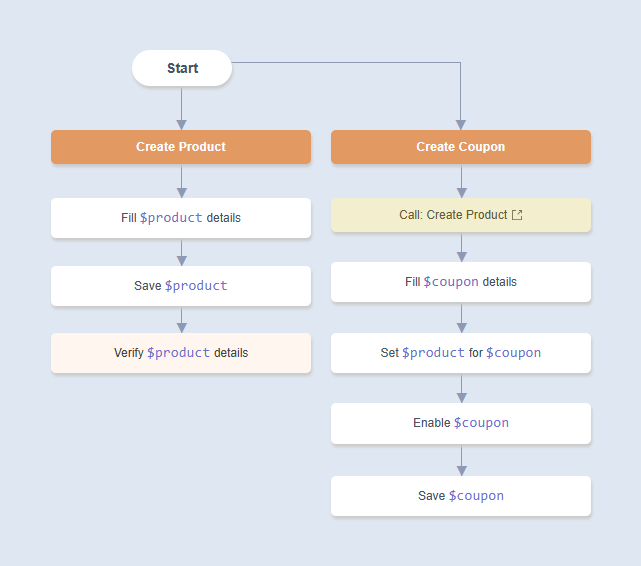
The new Call Path feature makes your automation design more modular and reusable. It allows one path to invoke another by adding a Call Path node, creating a clear hierarchical structure. In the example below, the Create Coupon path calls the Create Product path.
2. Prerequisites
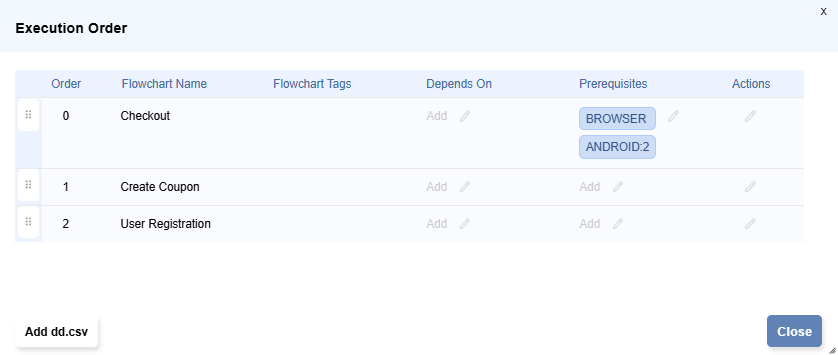
When running distributed playback, some nodes may not have all the required capabilities (like ANDROID mode or Mobile Add-on licenses). With Prerequisites, you can assign specific requirements to a path or a flowchart to ensure it only runs on nodes with the necessary capabilities. This avoids execution failures due to missing capabilities and provides more reliable distributed runs.
3. Suite Analysis
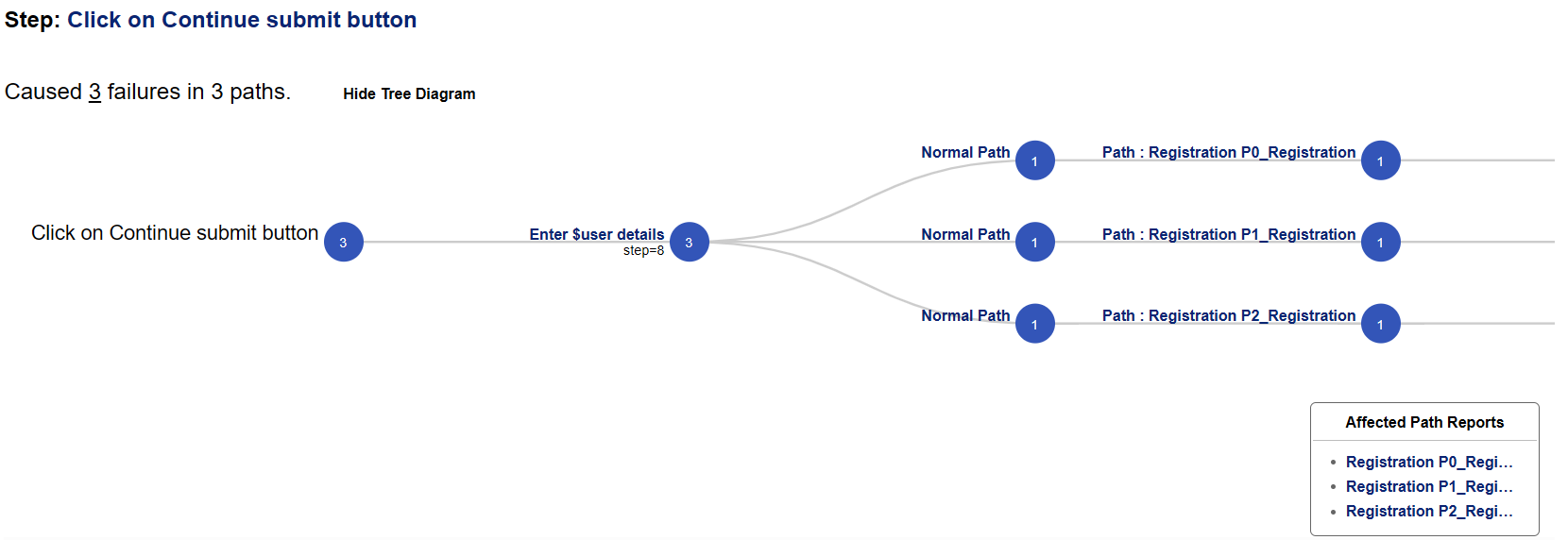
The new Suite Analysis page gives you a consolidated view of all executed flowcharts. It helps quickly trace errors down to exact steps and identify patterns causing repeated failures. You can also access historical results for failed flowcharts, allowing you to detect recurring issues and strengthen your test reliability.
4. Test Case Node
Introducing the Test Case node, which lets you clearly mark the beginning and end of individual test cases within a single path. This helps structure your tests better and makes them easier to manage, review, and report on.
5. Callbacks
With Callbacks, you now have more control over event-driven actions within your projects. These user-defined keywords can automatically trigger at specific stages like at the end of a path, when an error occurs, or when an assertion fails. Callbacks can be defined at the project, flowchart, or path level for maximum flexibility.
Improvements
- Enhanced Salesforce Automation: Lightning Web Components such as lightning-button and lightning-input-field are now supported by default. The Salesforce Accessor APIs list all the supported components, making Salesforce test automation smoother than ever.
- Improved Element Identification: HTML elements like input, select, and textarea are now automatically associated with their nearest label, span, or table cell. This results in more accurate identification and reduces manual tweaking during script creation.
- Gradle Integration: You can now effortlessly generate Gradle tasks (in both Groovy and Kotlin) for executing automation artifacts. These tasks can be integrated into your CI/CD pipelines using Jenkins, GitLab, or other tools.
Download the latest version, explore the documentation, or reach out to our support team for a demo.